
Download My Assignment Help – AI‑Powered PDF Summarizer & Writing Assistant
Overview
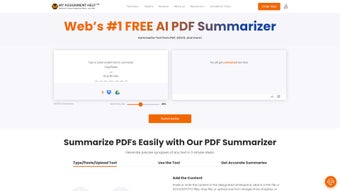
My Assignment Help introduces an AI‑driven PDF Summarizer Tool that transforms the way students, researchers, and busy professionals handle large documents. By leveraging state‑of‑the‑art natural language processing (NLP), the tool extracts the core ideas, arguments, and data points from any PDF and delivers a concise, readable summary in seconds. The technology goes beyond simple keyword extraction; it understands context, preserves the logical flow of the original text, and ensures that the essential meaning remains intact. This makes it an ideal companion for literature reviews, case‑study analysis, and quick briefings before meetings. In addition to summarization, the application bundles a suite of editing utilities—including rewrite, grammar check, and style enhancement—that help users polish their work without switching between multiple programs. As part of the broader MyAssignmentHelp ecosystem, the tool integrates seamlessly with other services such as essay writing, plagiarism detection, and citation management, offering a one‑stop solution for academic and professional writing needs. Whether you are preparing a thesis chapter, reviewing a contract, or simply trying to skim through a lengthy report, My Assignment Help provides a secure, fast, and user‑friendly environment that boosts productivity while maintaining high‑quality output.
Key Features
- AI‑Powered Summarization: Generates coherent summaries that retain the original document’s tone and intent.
- One‑Click PDF Upload: Drag‑and‑drop interface lets you add files from local storage or cloud services.
- Multi‑Language Support: Works with English, Spanish, French, German, and several other languages.
- Editable Summaries: Summaries appear in an editable text box, allowing instant tweaks or expansions.
- Integrated Writing Tools: Includes grammar correction, style suggestions, and a plagiarism checker.
- Rewrite & Paraphrase Engine: Re‑formulates sentences while preserving meaning, perfect for avoiding duplication.
- Secure Cloud Processing: All data is encrypted in transit and at rest, complying with GDPR and CCPA standards.
- Export Options: Save summaries as PDF, Word, or plain text, and copy directly to the clipboard.
- Continuous Updates: Regular model improvements ensure higher accuracy and faster processing times.
- Cross‑Platform Availability: Accessible via Windows, macOS, Android, and iOS applications as well as a web portal.
Installation, Usage & Compatibility
Getting started with My Assignment Help is straightforward. For desktop users, download the installer from the official website—choose the Windows or macOS version based on your system. The installer is signed by a trusted certificate authority, so Windows Defender or macOS Gatekeeper will recognize it as safe. Follow the on‑screen prompts to place the application in your Program Files (Windows) or Applications (macOS) folder. Mobile users can locate the app in the Google Play Store or Apple App Store by searching “My Assignment Help PDF Summarizer.” All versions share a unified interface, so the learning curve is minimal.
Once installed, launch the app and you’ll be greeted by a clean dashboard. Click the “Upload PDF” button, select your file, and hit “Summarize.” The AI engine typically processes a 50‑page document in under a minute, depending on internet speed and the complexity of the source material. After the summary appears, you can use the built‑in editor to refine the text, apply grammar fixes, or run the paraphrase tool. Export options are located at the bottom of the screen, allowing you to save the output in your preferred format.
My Assignment Help is optimized for modern operating systems: Windows 10/11, macOS Big Sur and later, Android 7.0 (Nougat) or newer, and iOS 13 or newer. The web version runs on any recent browser (Chrome, Edge, Firefox, Safari) and requires no additional plugins. System requirements are modest—at least 2 GB RAM, 200 MB of free disk space, and a stable internet connection for cloud‑based processing. The application also supports single sign‑on (SSO) for institutions that use Azure AD or Google Workspace, making it easy for university students to access the tool with their campus credentials.
Pros, Cons, FAQ & Conclusion
Pros
- Fast, accurate AI summarization that preserves meaning.
- All‑in‑one writing suite eliminates the need for multiple apps.
- Strong data privacy with end‑to‑end encryption.
- Cross‑platform support ensures accessibility on any device.
- Free basic tier with optional premium upgrades for higher limits.
Cons
- Premium features (high‑volume summarization, advanced rewrite) require a subscription.
- Reliance on internet connection for cloud processing may affect offline use.
- Occasional inaccuracies with highly technical jargon or niche terminology.
Frequently Asked Questions
Can I use the summarizer for copyrighted material?
Yes, the tool processes documents locally in the cloud and does not store a permanent copy. However, you should always respect copyright laws and use the service for personal study or fair‑use purposes.
Is there a limit on the number of pages per summary?
The free tier allows up to 20 pages per summary. Premium subscribers can process up to 200 pages in a single request.
How secure is my uploaded PDF?
All uploads are encrypted with TLS 1.3 during transmission and are deleted from our servers within 30 minutes after processing, ensuring your data remains confidential.
Can I integrate the summarizer with my learning management system (LMS)?
Yes, My Assignment Help offers an API and LTI (Learning Tools Interoperability) connector that can be embedded directly into platforms like Canvas, Moodle, or Blackboard.
What payment options are accepted for the premium plan?
We accept major credit cards (Visa, MasterCard, American Express), PayPal, and Stripe. Annual subscriptions receive a 15% discount over monthly billing.
Conclusion & Call to Action
In a world where information overload is the norm, My Assignment Help’s AI PDF Summarizer stands out as a reliable, secure, and efficient solution for turning bulky documents into bite‑size insights. Its seamless integration with a full‑featured writing suite makes it more than just a summarizer—it becomes a central hub for academic and professional productivity. While the free tier provides ample capability for occasional users, the premium plan unlocks higher limits and advanced rewriting tools that power‑users will appreciate. Ready to cut down reading time and sharpen your writing? Download My Assignment Help today and experience the future of intelligent document handling.



.png)



